Permissions & Entitlements
Two different securables control what you can do in DQX Studio, and it helps to keep them apart:
- Entitlements are your roles across the whole app — whether you can view rules, write them, approve them, or change settings.
- Permissions are your access permissions to one specific object — a single rule, monitored table, or collection.
Your entitlement follows you everywhere; permissions apply object by object.
Workspace and data access
In-app roles and object permissions do not grant Databricks App access, warehouse access, or Unity Catalog privileges. Those come from the installation, which an administrator sets up once and which Studio verifies.
There is no upgrade path from earlier Studio installations. Remove the previous app, task-runner job, warehouse, Unity Catalog schemas, and Lakebase project, then install this release fresh. Broad access granted by earlier versions (users / account users) is not revoked automatically; review and remove it.
Minimal setup
From the Marketplace.
- Install the listing and bind a SQL warehouse and a Lakebase endpoint.
- Share the app with the audience group and the administrator group (Compute → Apps → DQX Studio → Permissions → Can Use). This is a manual step.
- Open Studio as a workspace administrator (a member of
adminsor of the configured admin group). - In the setup form, enter the catalog, a storage prefix (default
dqx_studio), and the audience group (an existing dedicated group). - Run the
GRANTstatements that setup prints, then choose Verify again. - In Admin Settings → Entitlements, assign roles to the audience groups.
After the first successful full verification, app restarts reuse it only for catalog-level grants (USE CATALOG / CREATE SCHEMA on the selected catalog) that the app service principal cannot inspect itself; a changed audience, catalog, or task runner, or any grant observed missing, requires an administrator to choose Verify again.
From a bundle (DAB). Deploy with make app-deploy PROFILE=<profile> TARGET=<target> STUDIO_PREFIX=<prefix> STUDIO_USER_GROUP=<group|users>, grant the catalog prerequisites that setup prints, and assign roles. The bundle supplies catalog, prefix, and audience, so setup shows them read-only and skips the form. See the installation guide.
Storage layout
Studio uses an existing catalog and a prefix (lower-case letters, digits, and underscores; default dqx_studio):
| Object | Purpose |
|---|---|
<prefix> | Main Studio schema |
<prefix>.wheels | Volume for the app and task-runner wheels |
<prefix>_tmp | Temporary views created on behalf of users |
<prefix>_genie | Approved Genie views and metadata |
<prefix>_demo | Demo content |
Catalog and prefix cannot be changed once storage exists. The Lakebase schema does not follow the prefix.
Who gets what
Setup applies the access below, then re-reads it to verify. A missing grant, or one that cannot be inspected, blocks readiness. The only exception is sharing the app itself: if Studio cannot read the app's sharing it shows a warning rather than blocking (administrators see it in a dismissible banner once Studio is ready), and you share the app manually. ACL changes are additive, so unrelated principals on shared resources are preserved.
| Resource | App SP | Runner SP | Audience | Admin group |
|---|---|---|---|---|
| Catalog | USE CATALOG, CREATE SCHEMA | USE CATALOG | USE CATALOG | USE CATALOG |
| Main schema | Owner (Marketplace); explicit list incl. MANAGE (DAB) | USE SCHEMA, SELECT, MODIFY | None | None |
| Wheels volume | Owner / ALL_PRIVILEGES | READ VOLUME | None | None |
_tmp schema | Owner / explicit list incl. MANAGE | USE SCHEMA, SELECT (any view in _tmp) | USE SCHEMA, CREATE TABLE | Same as audience |
_genie schema | Owner / explicit list incl. MANAGE | None | USE SCHEMA; SELECT on allowlist only | Same as audience |
_demo schema | Owner (Marketplace); explicit list incl. MANAGE (DAB) | None | USE SCHEMA, SELECT | Same as audience |
| SQL warehouse | CAN_MANAGE | Not needed | CAN_USE | CAN_USE |
| App | Runtime identity | None | CAN_USE | CAN_USE |
| Task-runner job | CAN_MANAGE | Configured run_as | None | Managed via setup |
| Genie space (if configured) | Manage | None | CAN_RUN | CAN_RUN |
| Dashboard (if configured) | Publisher; CAN_MANAGE on the bundle dashboard (DAB) | None | CAN_READ | CAN_READ |
| Lakebase app schema | Owner, migrations, CRUD | None | None | None |
| User source data | Authorized scheduled workloads only | Run-specific verified access | Caller's own OBO access | Caller's own OBO access |
The Genie SELECT allowlist is exactly the five approved views plus dim_dq_rules and dim_dq_monitored_tables. Studio never grants whole-schema Genie SELECT, quarantine tables, or dq_user_table_entitlements. On a bundle deployment the schemas are owned by the deploying identity, so the app service principal receives an explicit privilege list that includes MANAGE (not ALL_PRIVILEGES, which makes the bundle engine drop MANAGE) instead. The bundle grants the administrator group only its workspace permissions; the app re-applies and verifies the administrator group's Unity Catalog grants after each deploy restart.
The runner service principal needs no Lakebase role or grants. Run configs too large to pass as job parameters are staged in the Delta dq_run_configs table in the main schema, which its main-schema SELECT / MODIFY already covers.
Audience, broad mode, and administrators
The audience is a dedicated, existing workspace group. Studio never creates groups, and the setup form rejects users, account users, and admins.
Broad mode (bundle deployments only, STUDIO_USER_GROUP=users) shares the app, warehouse, dashboard, and Genie space with the workspace users group and grants Unity Catalog access to account users. That is account-wide: everyone in the account can reach the Studio catalog objects. Use it only when that is intended.
| Audience input | Workspace ACL principal | Unity Catalog principal |
|---|---|---|
users (bundle broad mode only) | users | account users |
| Dedicated group | Group name | Same group name |
Administrator access. Members of the configured admin group or the workspace admins group may run setup. Unity Catalog cannot grant to the workspace admins group, so Unity Catalog grants for administrators go only to a custom admin account group, which receives the same access as the audience plus app CAN_USE. With the built-in admins group, administrators must also be members of the audience group to use features that run on their behalf. Audience membership never makes someone an in-app Admin.
What stays per user
Some access cannot be proven for a whole group, so it is checked for the active user when they use the feature: their Databricks SQL access entitlement, their OAuth consent for Studio's scopes (sign in again if a scope changes), and their own source-data privileges on the tables they profile or validate. Studio never grants source data.
Profiling and validation use your data permissions to create a temporary view, then grant MANAGE on that view to the app service principal for cleanup. The job runner reads the view through schema-level SELECT on the temporary schema, so it can read any view in that schema. Schedules verify source catalog/schema usage and SELECT for the app scheduler and runner; failed runner grants block scheduling. The schedule editor lists any missing catalog or schema usage by service principal name, with the GRANT statements an owner needs to run. Setting up a schedule needs MANAGE (or ownership) on each table it reads, except tables in the built-in samples catalog, which need no grants. Ask Genie additionally requires space CAN_RUN, Consumer access or Databricks SQL access entitlement, and the approved-view grants above.
Entitlements (your role)
Every person has one of four roles. Author and Approver are complementary, not ranked — an author writes and runs rules, an approver signs off on them, and the two are deliberately kept apart so that four-eyes review works. Only an Admin can do everything.
| Task | Viewer | Rule Author | Rule Approver | Admin |
|---|---|---|---|---|
| View rules, tables, collections, and results | ✅ | ✅ | ✅ | ✅ |
| Create rules and edit your own drafts | ✅ | ✅ | ||
| Submit drafts for approval | ✅ | ✅ | ||
| Run checks (profiling & validation) | ✅ | ✅ | ||
| Approve or reject anyone's drafts | ✅ | ✅ | ||
| Change admin settings (entitlements, retention, tags) | ✅ |
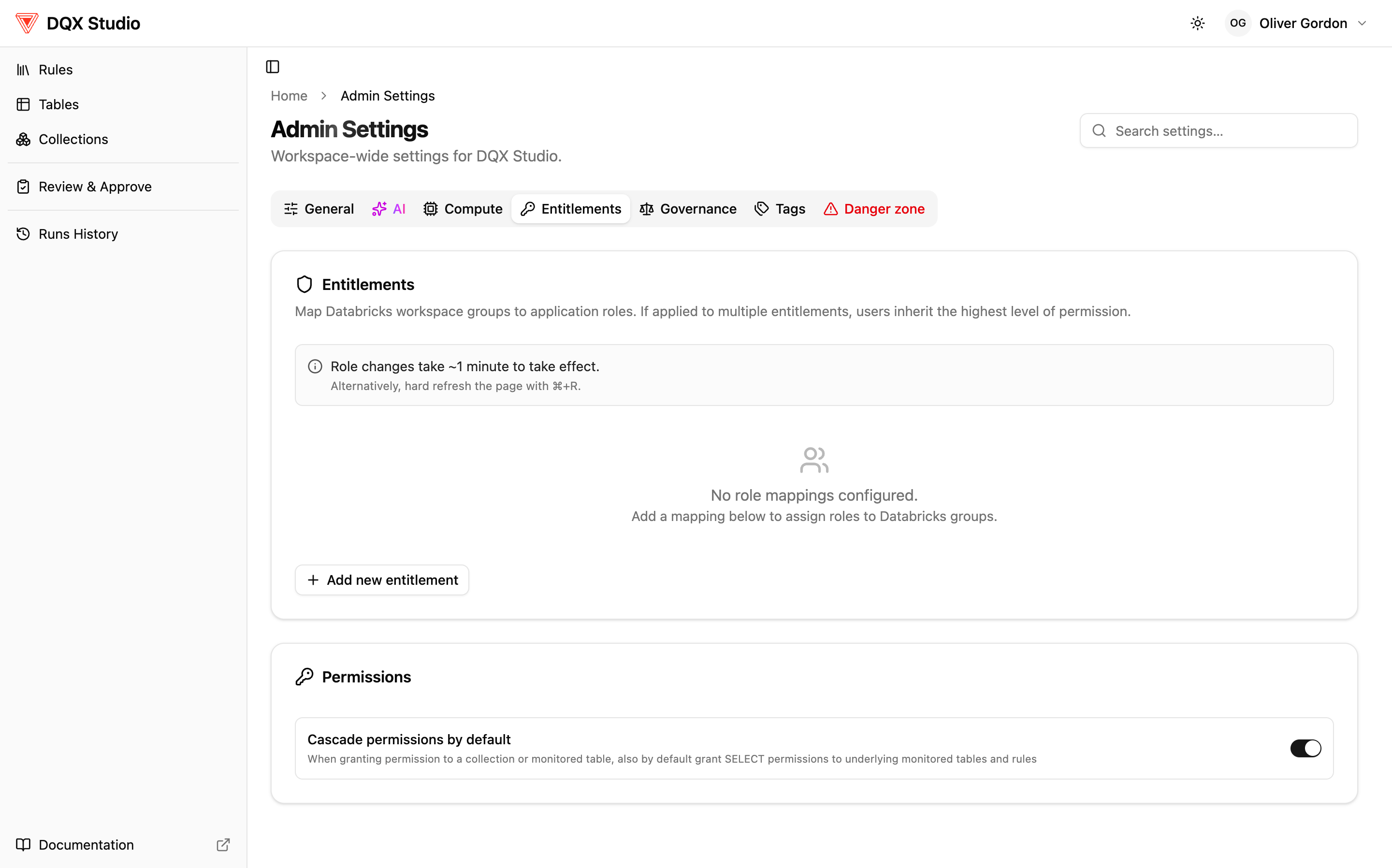
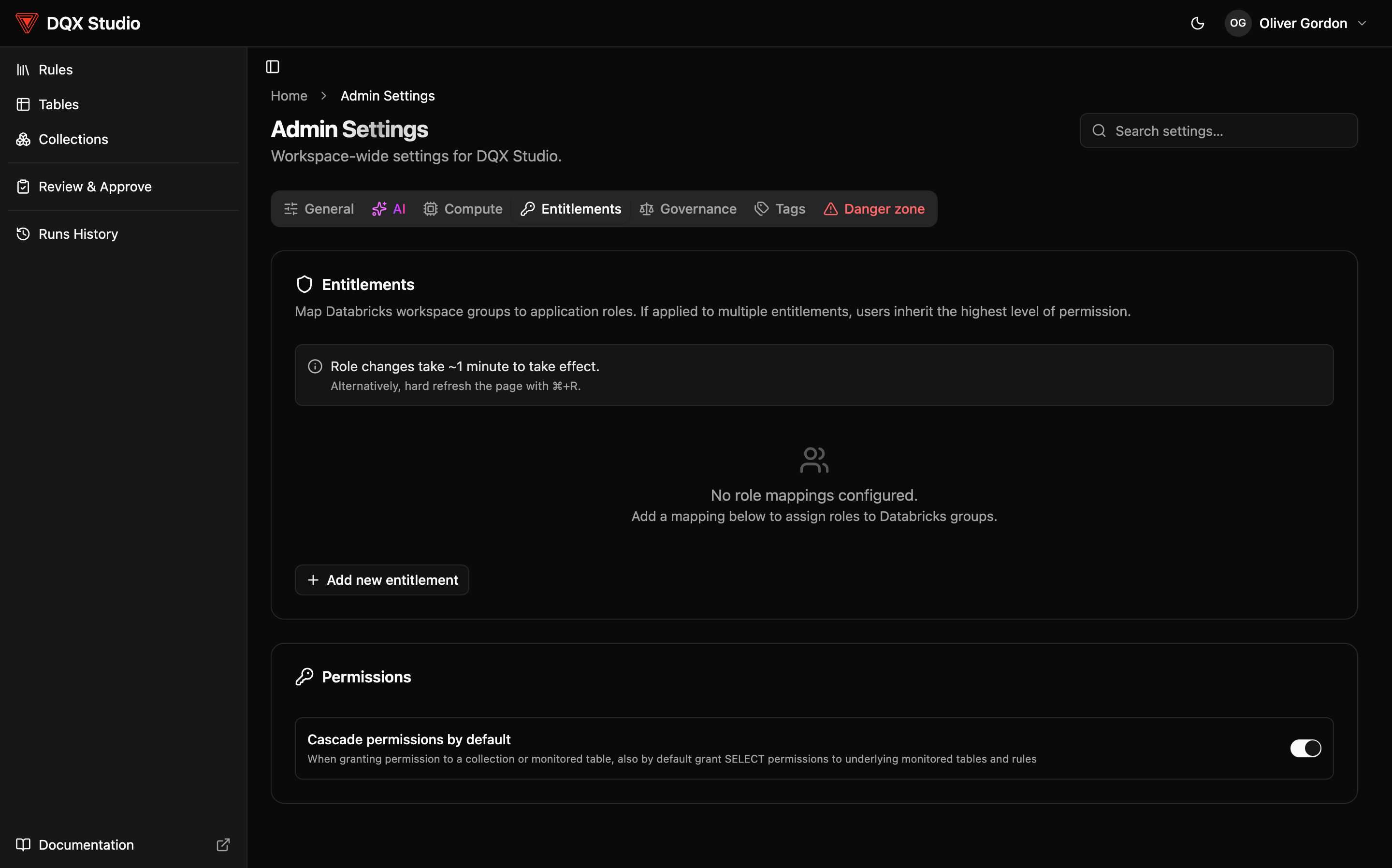
You don't get a role by name. An admin maps your Databricks workspace groups to DQX Studio roles in Admin Settings → Entitlements; if your groups map you to more than one role, the highest wins. Your Profile page (top-right menu) lists the Databricks workspace groups you belong to — the groups this mapping draws on.
Permissions (per-object access)
Every rule, monitored table, and collection has its own Permissions tab showing who the Steward is (the accountable owner for that object's data quality) and a list of who has access. You grant each principal — a user or a workspace group — one or more privileges on that object only:
- View (SELECT) — see the object and its results.
- Modify — edit the object's configuration and logic, and delete it.
- Apply — attach the object to others (apply a rule to a table, add a table to a collection).
- Execute — run profiling and validation on this table or collection (Execute doesn't apply to rules).
- ALL PRIVILEGES — the full set, including managing the object's permissions.
Anything you can act on you can also see, so Modify, Apply, or Execute include View privilege automatically.
Triggering a run takes the Rule Author or Admin role and the Execute permission on the specific table or collection. Admins and approvers reach every object regardless of its permission list, so governance can never be locked out.
Defaults and cascade
When you create an object — a rule, monitored table, or collection — nothing is blocked out of the box: you become the owner with ALL PRIVILEGES, and all workspace users get View, Apply, and Execute (Modify is held back). These defaults are real entries on the object's Permissions tab, not hard-coded behavior — so you can narrow them to specific groups, or remove them, whenever you like.
By default permissions cascade through the hierarchy — granting access on a collection also grants it on the collection's tables and their applied rules. Admins control whether cascade is on by default in Admin Settings → Entitlements.
Role changes and object-permission changes are all recorded — who made the change, when, and the before-and-after values.