The approval workflow (four-eyes)
Every rule, monitored table, and collection moves through the same simple states before it can affect a run:
- Draft — someone is authoring or editing it. No effect on any run yet.
- Submitted for review — the author is done and asks for a second pair of eyes.
- Approved / active — a reviewer has approved it. It's now live and runnable.
A reviewer can also send a submission back to draft with a reason, so the author can fix it and resubmit.
The four-eyes principle
An author can't approve their own submission unless they're also an approver or admin. In practice at least two people touch every change — the person who wrote it and the person who approved it. A second reviewer catches the obvious slips (a typo in a column name, a threshold set too high, a check on the wrong table) before they reach a live run.
Approvers and admins can approve their own drafts, so a small team isn't stuck. The rule only stops authors without approval rights from self-approving.
The reviewer experience
Review & Approve is your approval queue: every pending rule, table, and collection awaiting your decision, gathered in one place. For any item, choose View changes to see the proposed definition. If it already has a live version you'll see a diff against what's active today.
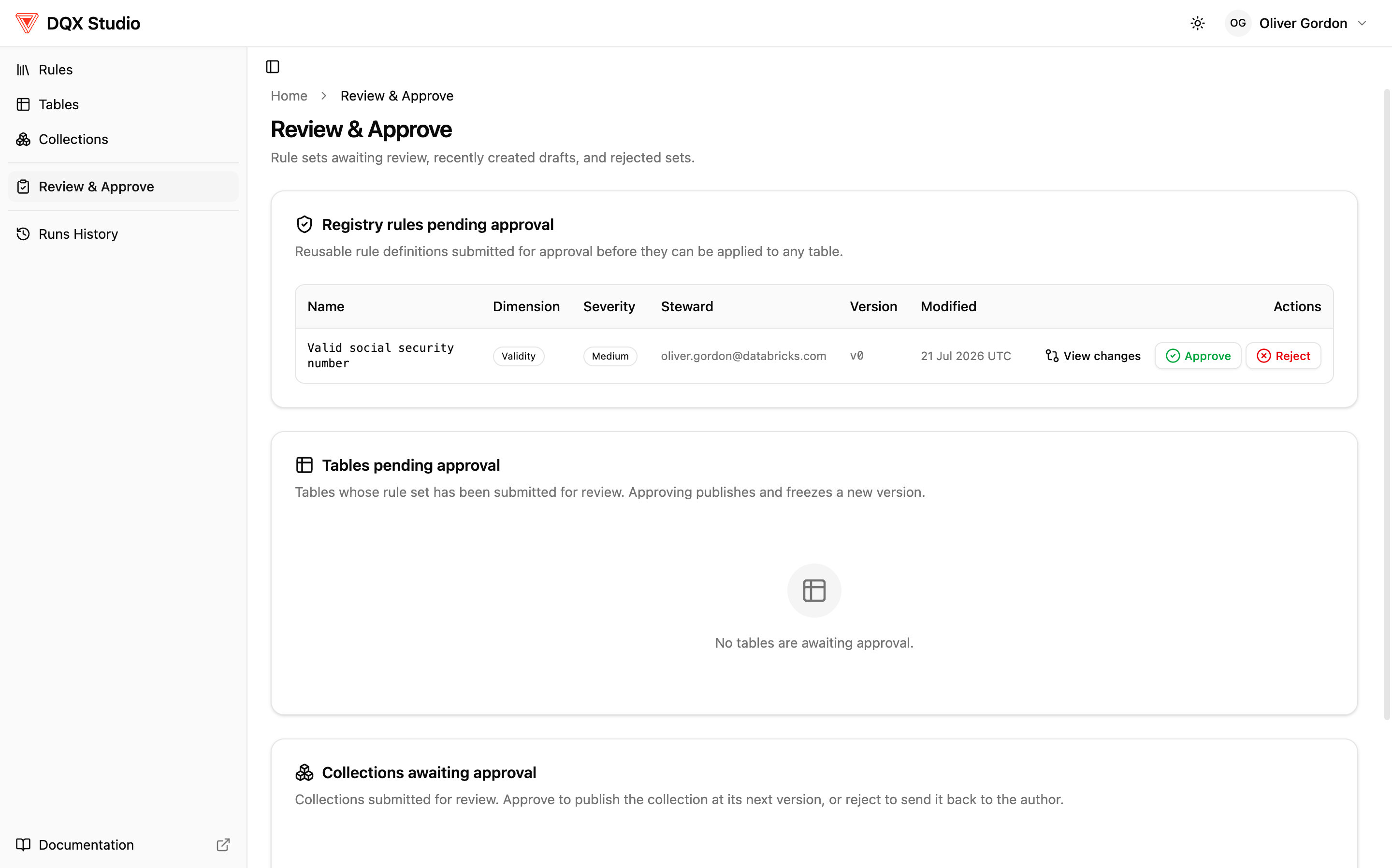
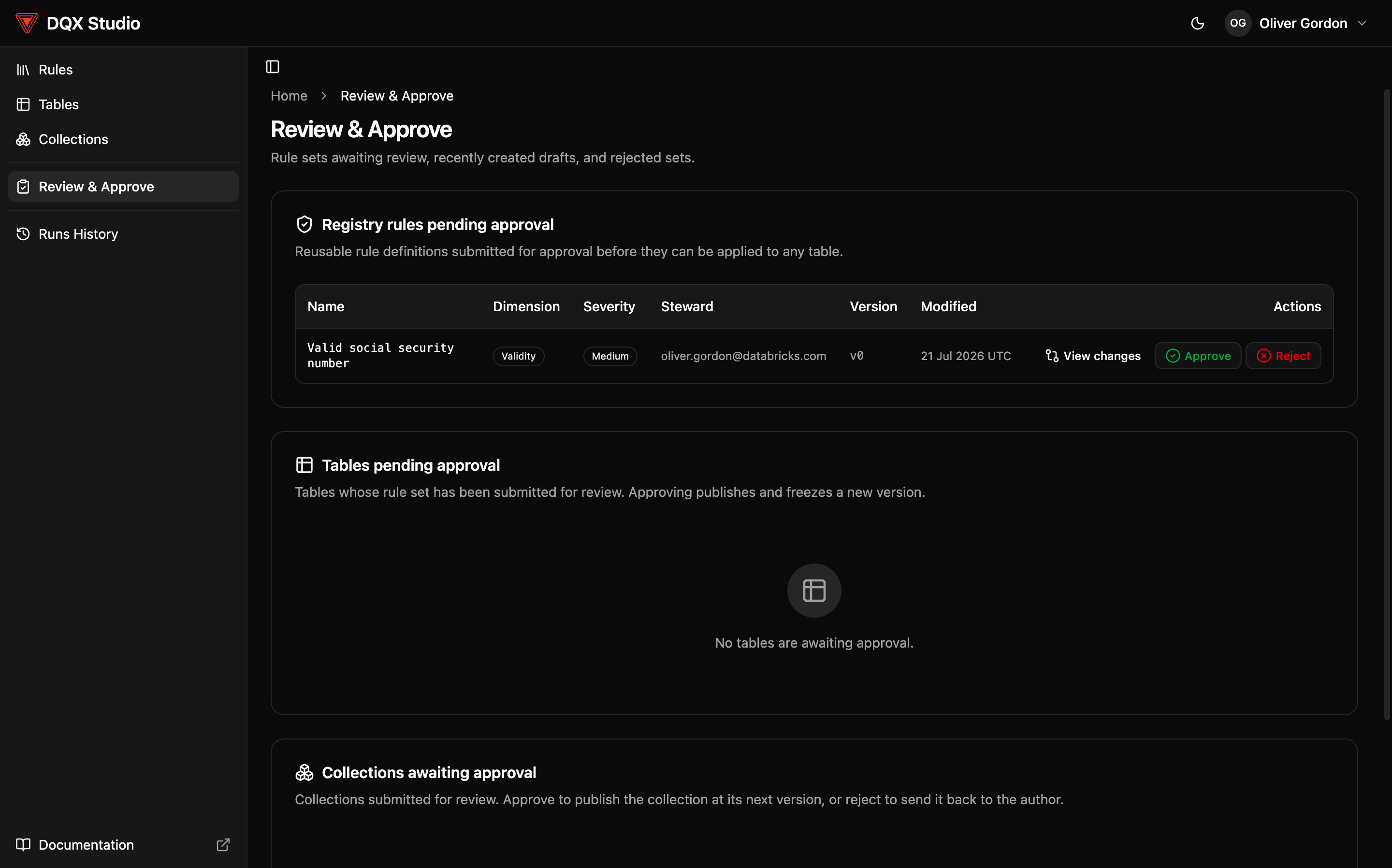
From there you can test it against sample rows first (nothing is changed or saved), approve it with a comment (it becomes active and counts in the next run), or reject it with a reason (it returns to the author as a draft). Every approval and rejection is recorded — who acted, when, and what changed.
The author experience
When your draft is ready, choose Submit for review, then track its status: pending, approved and active, or sent back. If it's rejected, it returns as a draft with the reviewer's reason attached — fix what they flagged and resubmit.
Editing something that's already active creates a new draft version. The live version keeps working until your edit is reviewed and approved, so you can't accidentally disrupt a running check while you tweak it.
When approvals are turned off
An admin decides whether approvals are required (recommended for anything feeding real reporting) or off (auto-approve, suited to a trusted or development environment). When they're off, the review queue is hidden and submissions go live immediately. This choice is itself an audited admin setting — set it when you configure DQX Studio.