Import rules
If you have data-quality rules defined somewhere else, you don't have to re-create them by hand. You can import them.
There are two ways to import: from a DQX YAML file, or from a data contract. Both do the same thing at the end — they turn what you provide into rules in your Rules Registry.
Nothing goes live when you import. Every imported rule arrives as a draft, just like a rule you write yourself. Someone must review and approve it before it can be run. See Approval workflow.
From DQX YAML
If you have rules written in DQX's own file format, paste or upload them here. This is the same format DQX Core uses to store checks, so anything exported from a DQX pipeline or checked into your code will import cleanly.
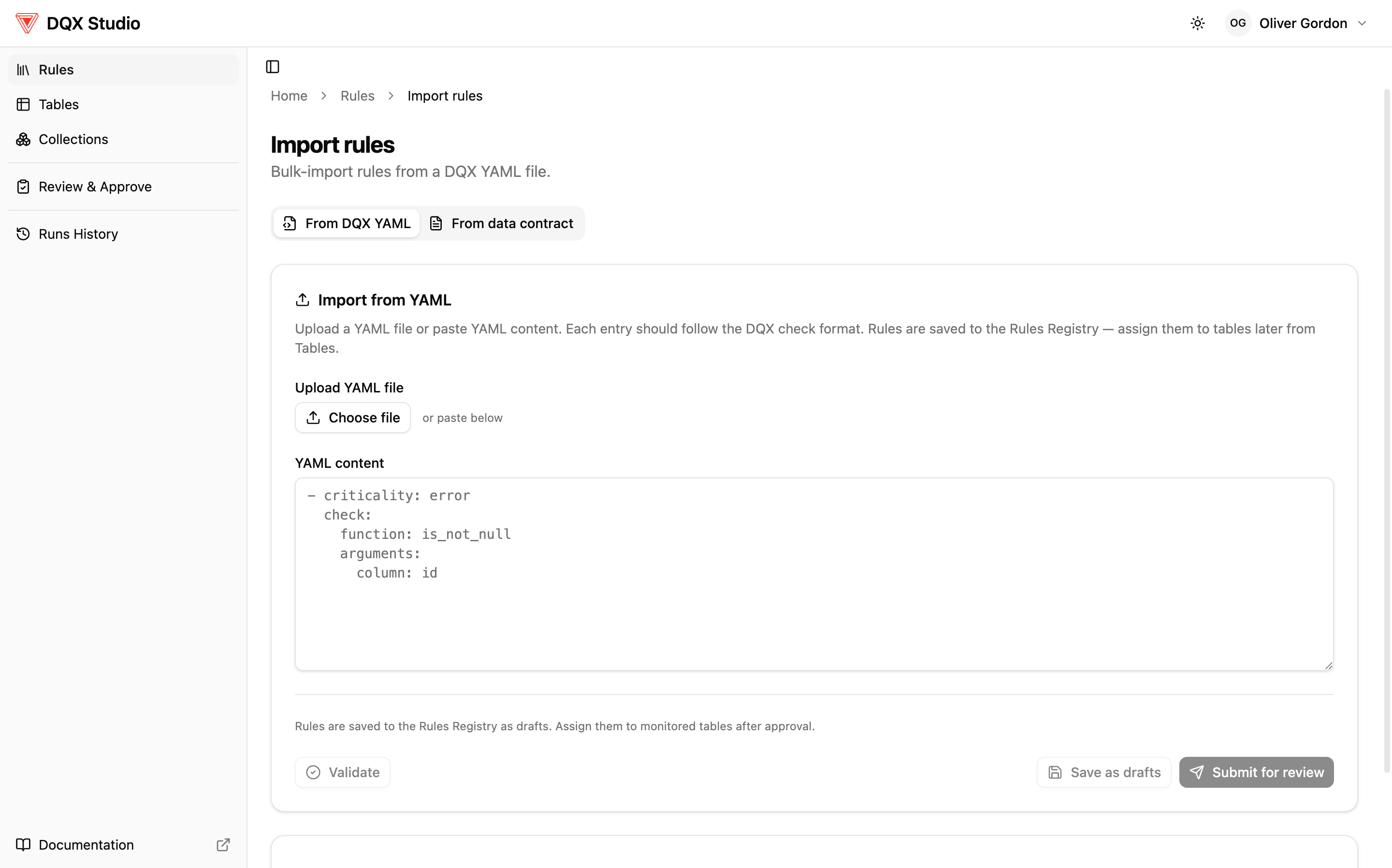
To import:
- Paste your YAML (or JSON) into the box, or upload the file.
- DQX Studio checks that the format is valid and shows you a preview of the rules it found. If something is wrong, you'll see exactly what needs fixing.
- Test the rules against sample rows if you want to see how they behave before committing. No data is changed by a test.
- Save. The rules are added to your Rules Registry as drafts.
Don't have YAML yet? Generate it
If you know what you want to check but not how to write it, use the Generate button above the rules editor: describe the checks in plain language and DQX Studio generates the rules for you. They appear in the editor as YAML — like any pasted file — so you can read and edit them before importing; nothing is saved until you do. Rules created this way are marked as AI-assisted in the registry, and edits you make by hand clear that mark.
The option appears only when AI is configured and enabled for your workspace.
The YAML format matches DQX Core's storage format for checks, so files move between the two without translation. For the full syntax — every field and option — see Quality checks definition.
From a data contract
A data contract is a file that declares quality expectations for a dataset — the shape its data should take and the rules it promises to keep. DQX Studio can read Open Data Contract Standard (ODCS) version 3 contracts. Instead of writing rules for a table one at a time, you can point at the contract that already describes it and let the app derive the rules for you.
The contract is owned by the team that produces the data, so it's the authoritative definition of how that data should look. Importing it turns those promises — a column that must never be empty, or must match a set of allowed values — straight into checks you can monitor, with no guessing at intent and no drift between what was agreed and what you actually test.
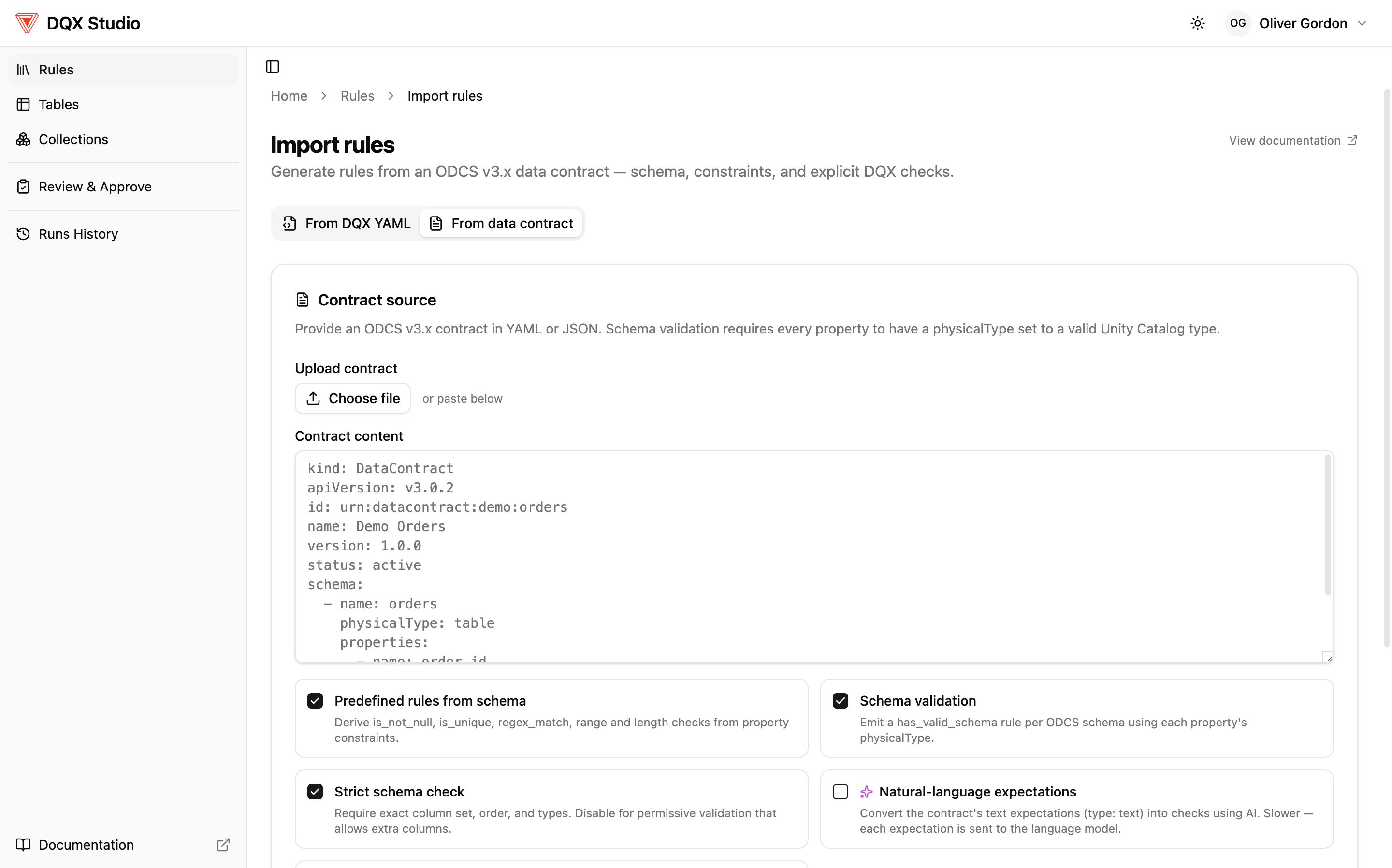
To import:
- Upload or paste the ODCS v3 contract.
- DQX Studio derives checks from it — schema validation (does each column exist with the right type?), constraints the contract sets on columns, and any explicit rules written in the contract's quality section.
- For each part of the contract, pick the Unity Catalog table it targets, so the app knows where each rule belongs.
- Save. The derived rules are added as drafts, ready for review.
Choosing what to derive
Before you import, a few options let you control which kinds of rules DQX Studio generates from the contract. All of them are on by default.
- Predefined rules from schema (on by default) — reads the constraints the
contract puts on each column and turns them into ordinary checks: is not
null from a
requiredfield, is unique from auniquefield, a pattern check from apattern, and range or length checks from minimum/maximum/length limits. Turn it off if you only want schema validation or the contract's own explicit rules. - Schema validation (on by default) — emits one has valid schema check per schema in the contract, using each column's declared type. This is the check that verifies the table actually has the columns the contract promises, with the right types.
- Strict schema check (on by default) — a sub-option of schema validation (available only when it's on). When strict, the schema check requires the exact column set, order, and types — nothing extra. Turn it off for permissive validation that allows additional columns and doesn't enforce order.
Import is deterministic: rules come only from the parts of a contract that are
machine-checkable — property constraints and library or sql quality rules.
Contracts sometimes also carry expectations written as free text (type: text).
Those can't become a check without interpreting the prose, so they are skipped
and reported in the generation warnings. To get such an expectation imported,
express it in the contract as a sql or library quality rule instead, or
author the check directly in Studio.
For the full picture of how DQX turns a contract into checks — including the kinds of quality rules it can read — see Data contract quality rules generation.
Bulk import for platform teams
If you manage many data products and want to roll out quality rules across all of them at once — the kind of thing a platform team does from a pipeline or a Git-based workflow — DQX Studio supports bulk import from multiple contracts in one pass. It can register the tables, create the rules, and apply them together, so a large rollout doesn't mean importing one contract at a time.
Bulk import follows the same rule: imported rules are drafts. Your team's approval workflow still applies before anything runs against production data.