Run checks & schedule
A run evaluates every check on a table (or a whole collection) against the current data and records the results. You can run checks on demand or on a schedule.
Run now
Open a monitored table or a collection and click Run now. The run continues in the background, so you can leave the page. When it finishes it appears in Runs History with its status and duration, and its results show up on the Review results view.
Run now (and every scheduled run) always evaluates the full table — it never samples. These are the runs your real, ongoing monitoring relies on: because they cover every row, their scores and failing-row counts are exact. To try unpublished changes cheaply, use Run draft below, which samples.
Running is part of the Rule Author role (Admins can run too); Approvers and Viewers can't. You also need the Execute permission on this particular table or collection. See Permissions & entitlements.
Run draft
While you still have unpublished changes, use Run draft to try the live applied-rule set before you submit for review.
Draft runs sample by default so large tables stay cheap to explore:
- Default sample size: 1000 rows
- Change the sample next to Run draft (random sample of N rows, or full table)
- Choosing Full table scans every row, same as a published run
The sample control appears on the monitored-table and collection pages whenever a draft run is available.
Put it on a schedule
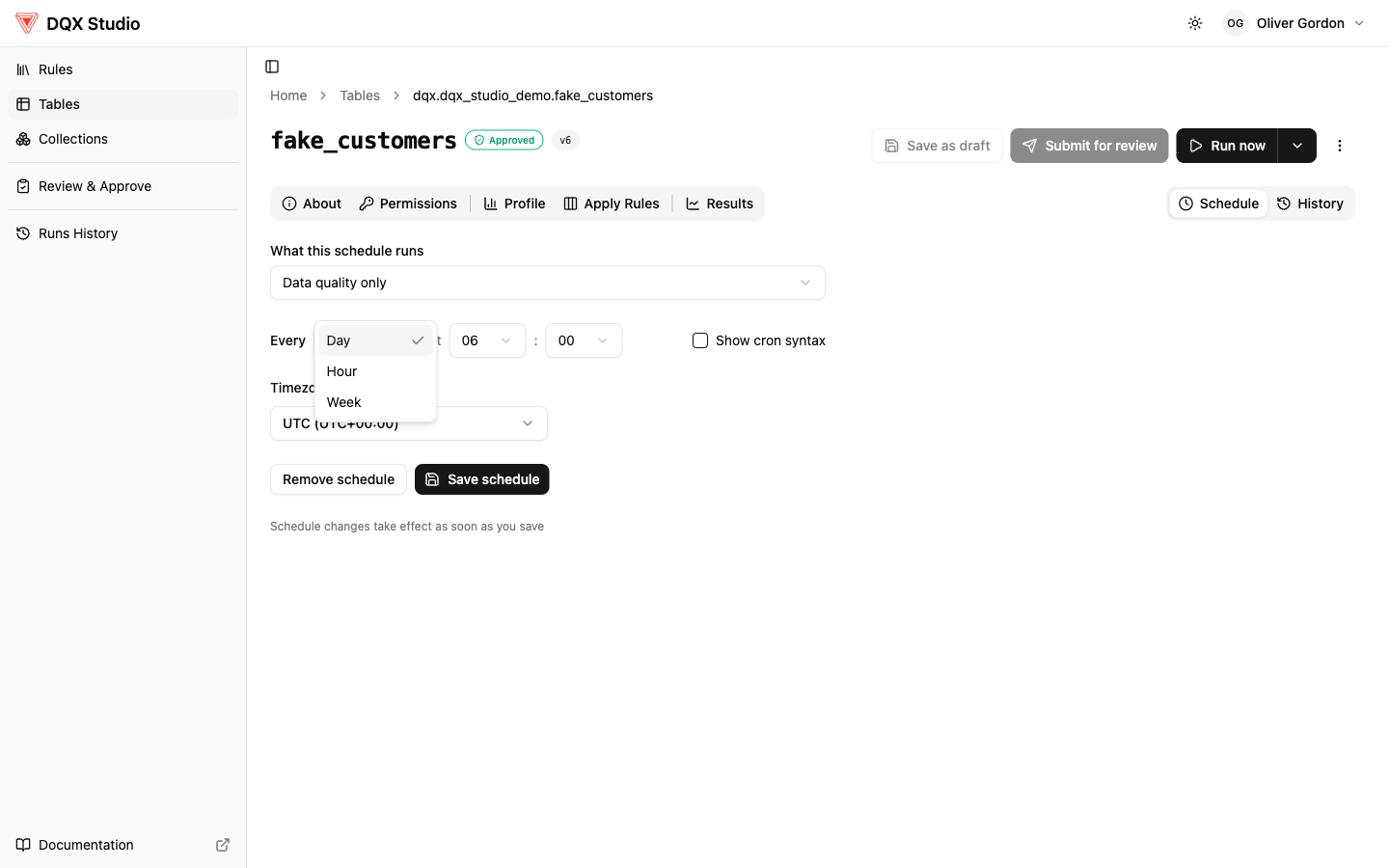
For quality you want to keep an eye on, put a collection (or a single table) on a schedule so it runs itself — hourly, daily at a time you pick, weekly on chosen days, or a custom cron expression. You can pause, resume, or delete a schedule at any time. Scheduled times follow the workspace timezone set by your admin, and if a scheduled run is still going when the next one is due, the app skips the new one rather than running two at once.
Open the Schedule tab on a monitored table or collection to configure:
- Cadence — hourly, daily, weekly, or a custom cron
- Timezone — when the run should fire
- What to run — quality checks only, profiling only, or both
Scheduled runs always use the latest approved rule set and currently scan the full table (not a sample or increment). Draft sample size does not apply to schedules.
Runs history
Every past run shows up in Runs History, with its status and how long it took — validation runs and profiling runs alike. Once a run finishes, head to Review results to check the score and investigate any quality issues.