Autoloader / Cloud Files
SDP-META uses Databricks Autoloader (cloudFiles) to incrementally ingest files from cloud object storage. Autoloader tracks which files have been processed, making it suitable for continuously arriving data.
Supported platforms: AWS S3, Azure Data Lake Storage Gen2 (ADLS), Google Cloud Storage (GCS)
Supported file formats: JSON, CSV, Parquet, Avro, ORC, text, binary
Onboarding configuration
Set source_format to cloudFiles and populate source_details:
{
  "data_flow_id": "1",
  "data_flow_group": "retail_group",
  "source_format": "cloudFiles",
  "source_details": {
    "source_schema_path": "/Volumes/my_catalog/my_schema/my_volume/schema/customers.ddl",
    "source_path_dev": "s3://my-bucket/landing/customers/",
    "source_path_prod": "s3://my-prod-bucket/landing/customers/"
  },
  "bronze_catalog_dev": "my_catalog",
  "bronze_database_dev": "retail_bronze",
  "bronze_table": "customers_bronze",
  "bronze_reader_options": {
    "cloudFiles.format": "json",
    "cloudFiles.inferColumnTypes": "true",
    "cloudFiles.rescuedDataColumn": "_rescued_data"
  }
}
tip
Provide an explicit source_schema_path to avoid schema inference instability in production. See Troubleshooting — Autoloader schema inference issues.
File metadata columns
Attach file-level metadata (file name, path, modification time) via source_metadata in source_details:
{
  "source_details": {
    "source_schema_path": "/Volumes/my_catalog/my_schema/my_volume/schema/customers.ddl",
    "source_path_dev": "s3://my-bucket/landing/customers/",
    "source_metadata": {
      "include_autoloader_metadata_column": "True",
      "autoloader_metadata_col_name": "source_metadata",
      "select_metadata_cols": {
        "input_file_name": "_metadata.file_name",
        "input_file_path": "_metadata.file_path"
      }
    }
  }
}
include_autoloader_metadata_column— adds the raw_metadatastruct columnautoloader_metadata_col_name— renames_metadatato this value (default:source_metadata)select_metadata_cols— map of{target_column: _metadata_expression}to extract specific fields into top-level columns
Reader options
| Option | Description |
|---|---|
cloudFiles.format | File format: json, csv, parquet, avro, orc, text |
cloudFiles.inferColumnTypes | Infer column types. Set to false in production for schema stability. |
cloudFiles.rescuedDataColumn | Column name for rescued (malformed) data |
cloudFiles.schemaHints | Override inferred types for specific columns |
header | For CSV: whether the first row is a header |
multiLine | For JSON: whether records span multiple lines |
Demo output
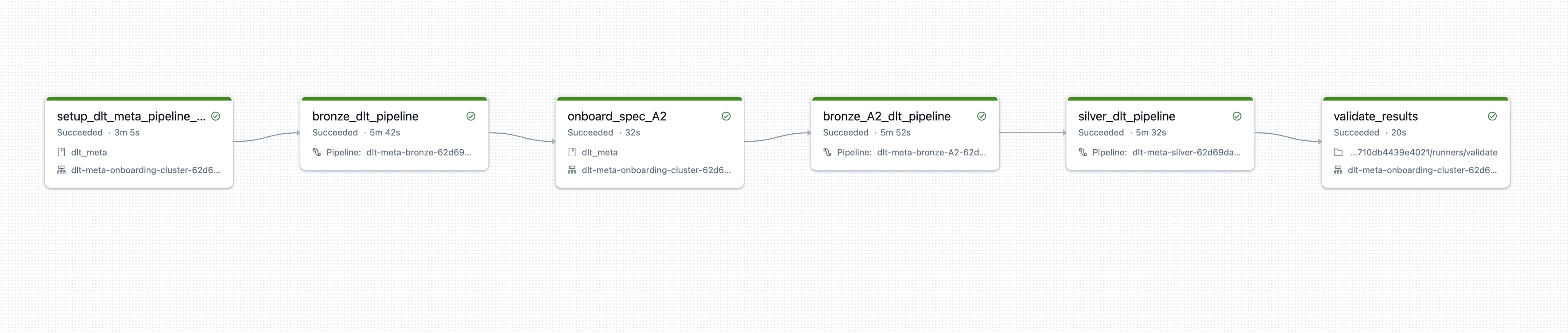
Running the demo
python demo/launch_af_cloudfiles_demo.py \
  --cloud_provider_name=aws \
  --dbr_version=15.3.x-scala2.12 \
  --uc_catalog_name=<your_catalog>
For Azure, use --cloud_provider_name=azure.
Related
- Onboarding File Fields — cloudFiles source_details
- Snapshot Ingestion — for full-replace file ingestion
- Multi-Source CDC — for multiple cloudFiles paths writing to the same bronze table