Packages Overview
GeoBrix offers three specialized packages for different spatial processing needs, designed to augment and complement ongoing Databricks product initiatives.
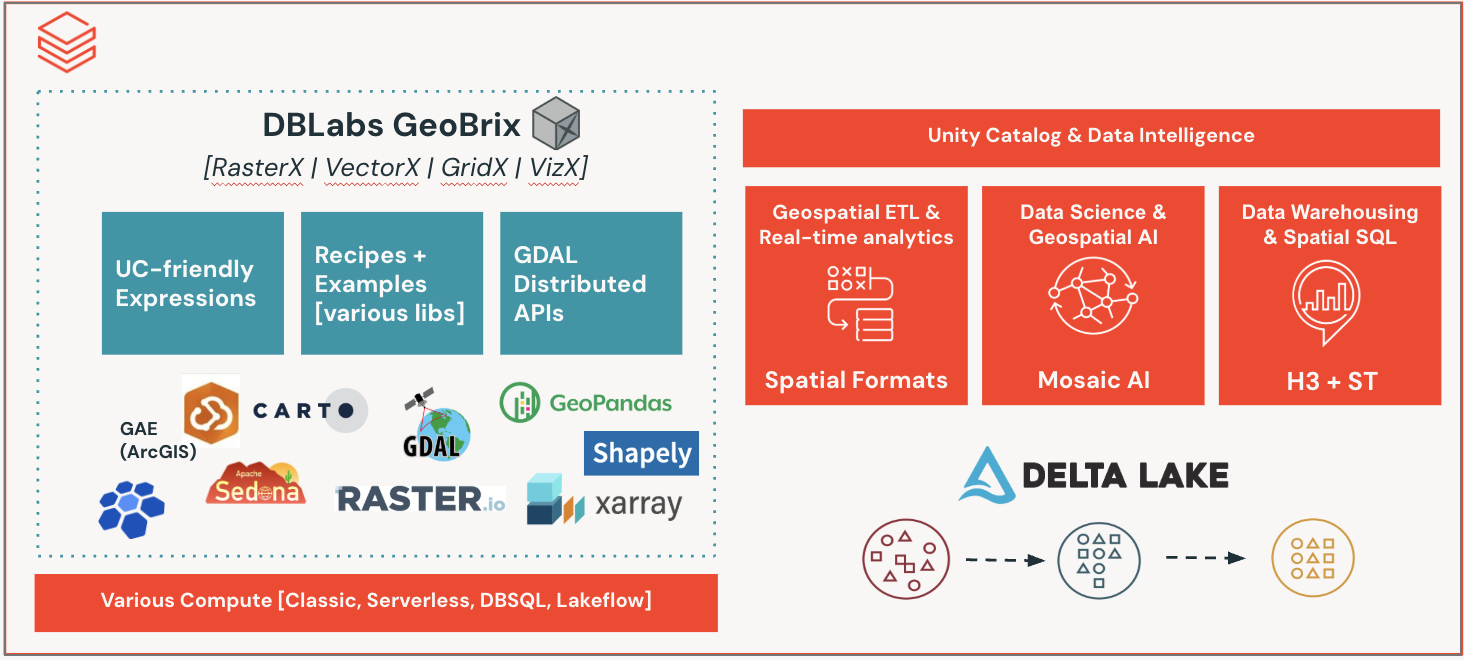
Available Packages
RasterX

Raster Data Processing
Refactor and improvement of Mosaic raster functions. Product does not (yet) support anything built-in specifically for raster, so this is a "fully" gap-filling capability.
- Process GeoTIFF and other raster formats
- Raster algebra and transformations
- Metadata extraction and manipulation
- Band operations
- Resampling and reprojection
GridX

Grid Indexing and Spatial Indexing
Refactor of Mosaic discrete global grid indexing functions. Focus has been on porting BNG for Great Britain customers.
- British National Grid (BNG) support
- Grid cell operations
- Spatial indexing
- Cell area calculations
- Grid-based aggregations
VectorX

Vector Data Operations
Refactor of select DBLabs Mosaic vector functions that augment existing product ST Geospatial Functions. Right now, this only includes a single function to handle updating existing Mosaic geometry data to those supported by product, so that users do not need to install (older) Mosaic in order to get to using the latest spatial features.
- Legacy Mosaic geometry conversion
Package Comparison
| Feature | RasterX | GridX | VectorX |
|---|---|---|---|
| Primary Use | Raster processing | Grid indexing | Vector operations |
| Product Gap | Full gap-filling | Specialized grids | Legacy support |
| GDAL Required | Yes | No | Yes (for readers) |
| Output Format | Various | Numeric/String | WKB/WKT |
| Databricks Types | Planned | N/A | Compatible |
Choosing the Right Package
Use RasterX when:
- Working with satellite imagery
- Processing elevation models
- Analyzing aerial photography
- Performing raster analytics
- Need to extract metadata from raster files
Use GridX when:
- Working with British National Grid data
- Need spatial indexing for UK datasets
- Performing grid-based aggregations
- Working with location-based services in Great Britain
- Need to calculate grid cell properties
Use VectorX when:
- Migrating from DBLabs Mosaic
Installation
All packages are included in the GeoBrix JAR and can be registered as needed:
# Register all packages
from databricks.labs.gbx.rasterx import functions as rx
from databricks.labs.gbx.gridx.bng import functions as bx
from databricks.labs.gbx.vectorx.jts.legacy import functions as vx

rx.register(spark)
bx.register(spark)
vx.register(spark)
Or register only what you need:
# Only register RasterX
from databricks.labs.gbx.rasterx import functions as rx
rx.register(spark)
Function Naming Convention
All GeoBrix SQL functions are registered with a gbx_ prefix for easy identification:
- RasterX:
gbx_rst_*(e.g.,gbx_rst_boundingbox) - GridX/BNG:
gbx_bng_*(e.g.,gbx_bng_cellarea) - VectorX:
gbx_st_*(e.g.,gbx_st_legacyaswkb)
This naming convention makes it easy to:
- Identify GeoBrix functions in your code
- Distinguish from built-in Databricks ST functions
- Track usage and attribution
Next Steps
Explore each package in detail: